
Resending invitations & expired requests
Most consent invitations are completed within minutes — but not all. Here's how TaxBloc handles slow responders, expired links, and the chase.
The lifecycle of a consent request
- Sent — the email lands in the client's inbox immediately. The link is valid for 7 days.
- Auto-reminder at 48 hours — if the client hasn't clicked through, TaxBloc sends one polite reminder, automatically. No action needed from you.
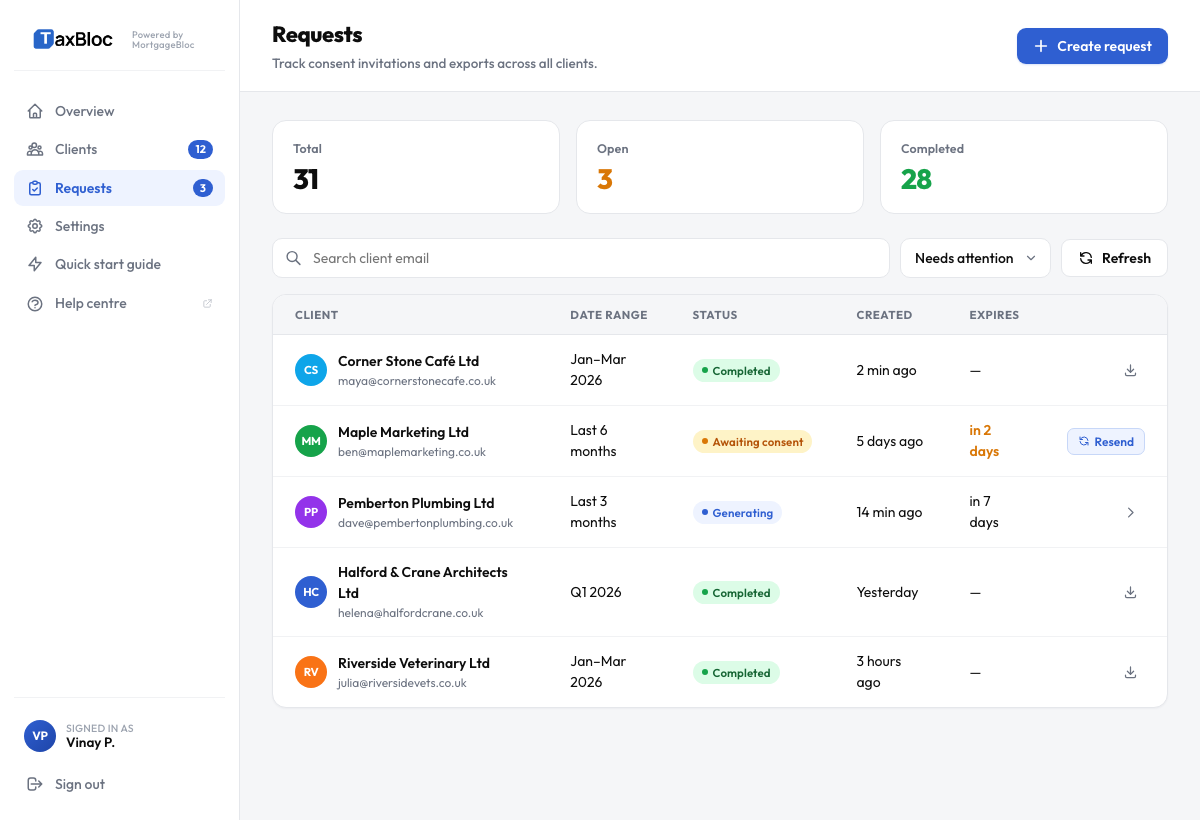
- Stalled — at the 5-day mark with no activity, the request shows up under Needs attention on your Clients and Requests pages.
- Expired — after 7 days the link no longer works. The client will see a friendly "this link has expired — ask your accountant for a fresh one" page if they click late.
The "Needs attention" filter
The Clients and Requests pages have a Needs attention chip in the filter row — it's amber so it reads as an alert rather than a neutral filter, and the count next to it tells you how many invitations are currently stalled. Click it to focus on those rows. The default view shows All statuses so you see your full list when you sign in; switch to Needs attention when you're ready to chase.
Resend an invitation
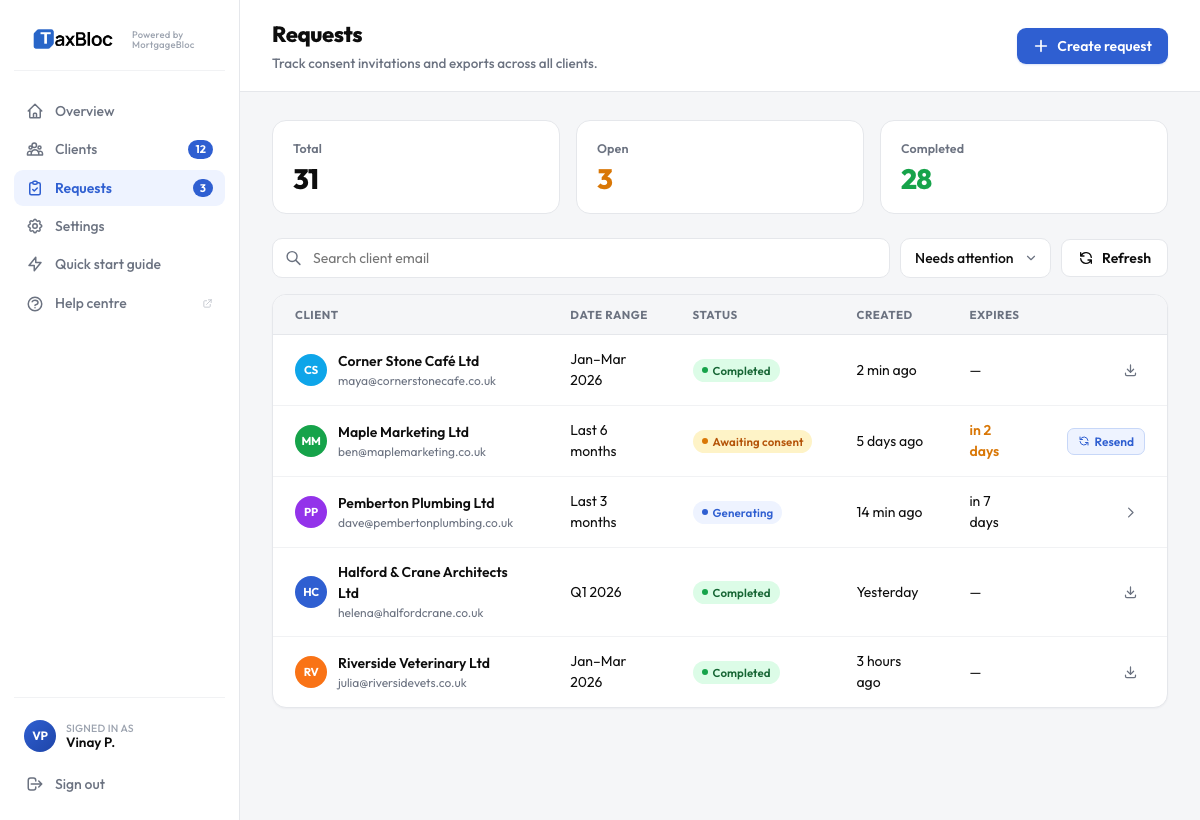
Each stalled or expired request has a Resend invitation button at the right of the row. Clicking it generates a fresh 7-day link and sends a new email to the same address.
If the client says they didn't get the email
- Ask them to check spam/promotions — the consent emails come from
noreply@taxbloc.ai, which some filters treat aggressively on first contact. - Confirm the email address on the Clients page. A mistyped address is the most common reason for non-delivery.
- If both look right, hit Resend and check the request status — it will show a red Bounced badge if our mail servers got a hard bounce.
- For persistent issues, the client can also reach the consent flow directly via the link you can copy from the request row's ••• menu — useful for SMS or WhatsApp delivery.
Cancel a request
If the client tells you they want to use a different bank, or you sent the request to the wrong address, open the request and click Cancel request. This invalidates the existing link immediately and removes the request from your stalled list. You can then send a fresh one.
Why 7 days?
Open Banking best practice (and Plaid's default) treats consent links as short-lived secrets. If a stale email gets forwarded, screenshot, or accidentally cc'd, a 7-day window means the blast radius is bounded. TaxBloc lets you resend as many times as you need — there's no penalty.