
How to create a consent request
A consent request is the email link you send a client. When they click it, they pick their bank, log in, and authorise TaxBloc to pull transactions for the date range you've specified. The data flows in via Plaid Open Banking — FCA-regulated, read-only, revocable.
Open the form
Click + Create request in the top-right corner of any page. The form opens as a side panel.
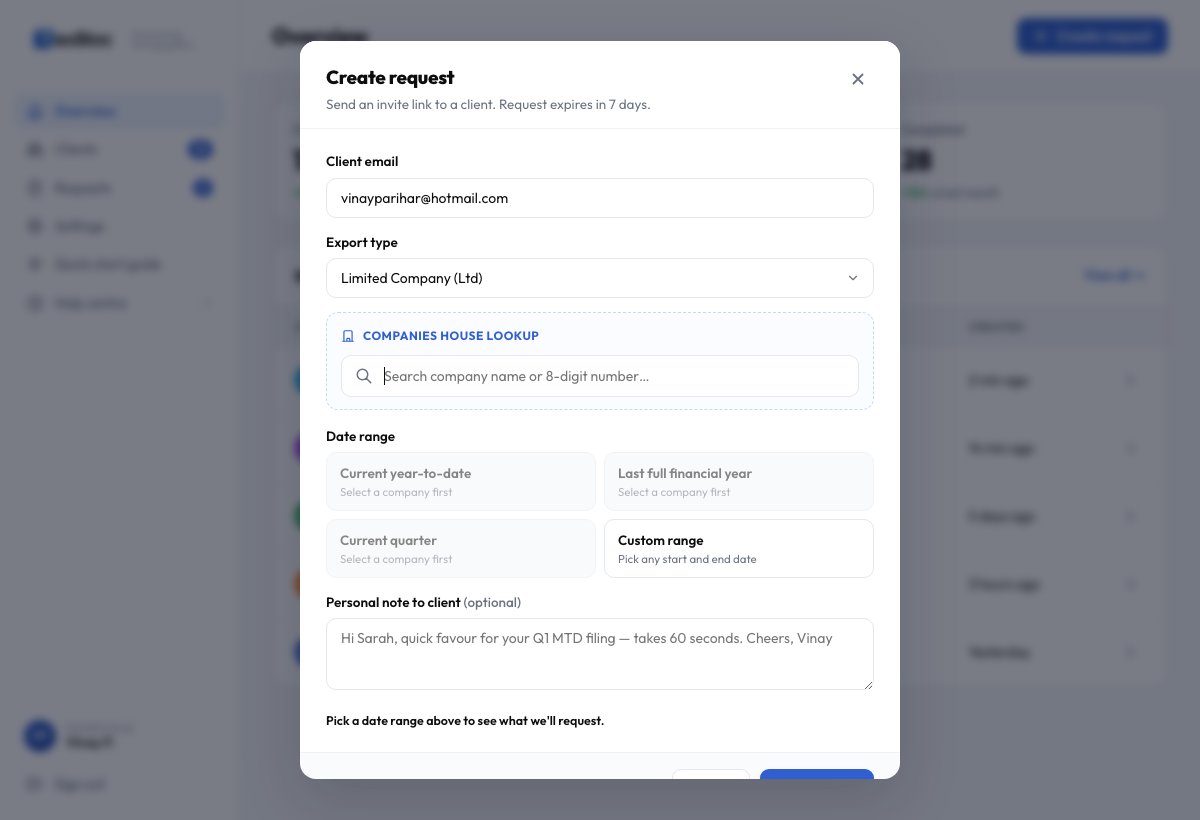
Pick the export type
Updated in v0.9. The Export type dropdown uses proper UK entity classifications, grouped into two sections.
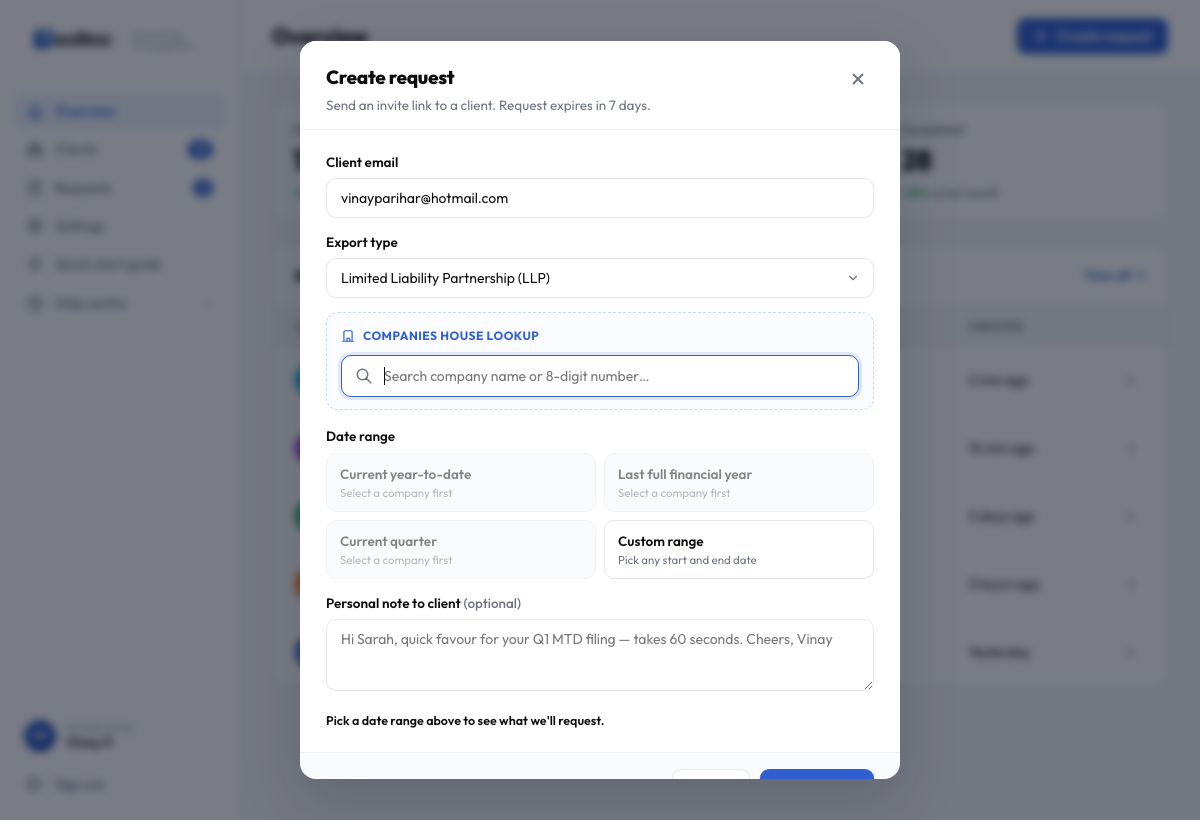
Companies House registered
- Limited Company (Ltd) — the default for most owner-managed businesses.
- Limited Liability Partnership (LLP).
- Public Limited Company (PLC).
- Community Interest Company (CIC).
Picking any of these reveals the live Companies House search box.
Unincorporated
- Sole trader — self-employed individual, no company registration.
- Partnership (ordinary) — two or more partners, not registered at Companies House.
For these, the Companies House step is skipped. Unincorporated entities get their own preset list (added in v0.11): Last 12 months, Current tax year (6 Apr → today), Previous tax year, Current quarter (MTD ITSA), plus Custom. No Companies House year-end is needed — everything keys off the UK tax year.
Search Companies House
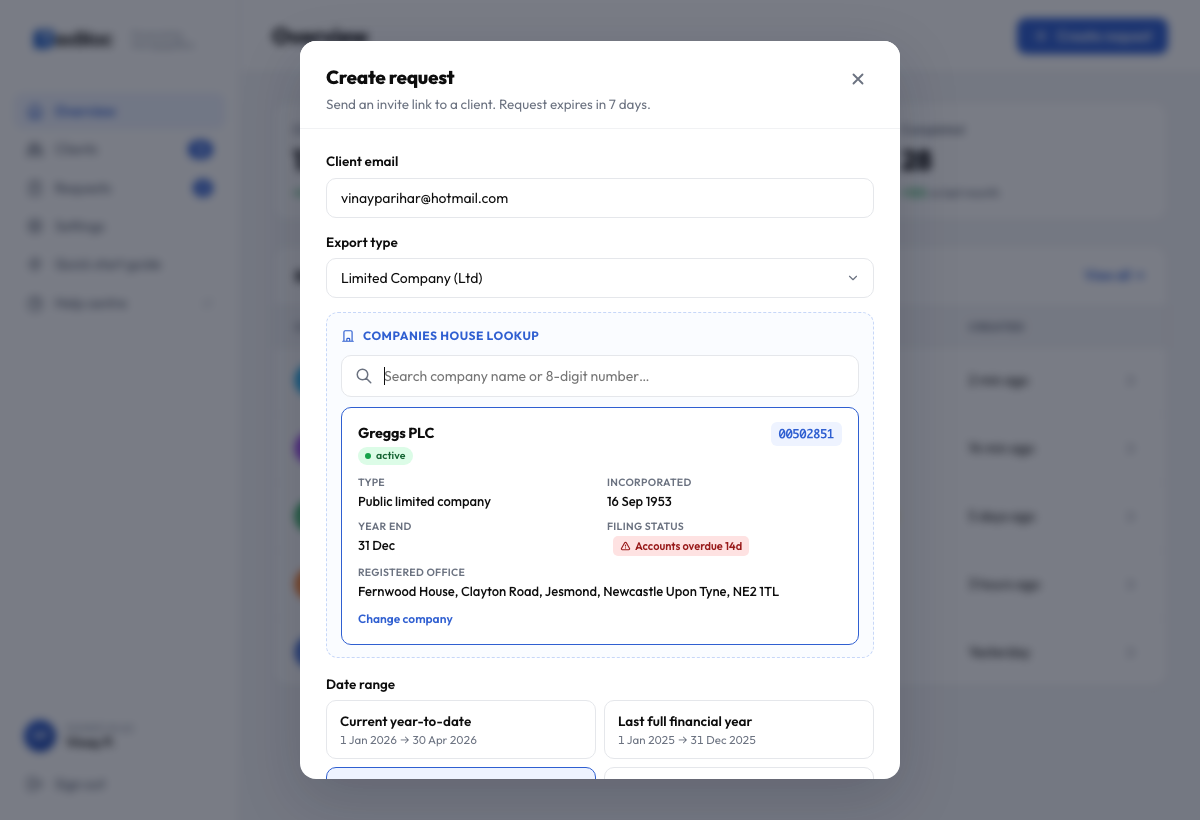
For registered entities, type the company name (e.g. "Tesco") or 8-digit number ("00445790") into the lookup box. Results appear inline within ~300 ms.
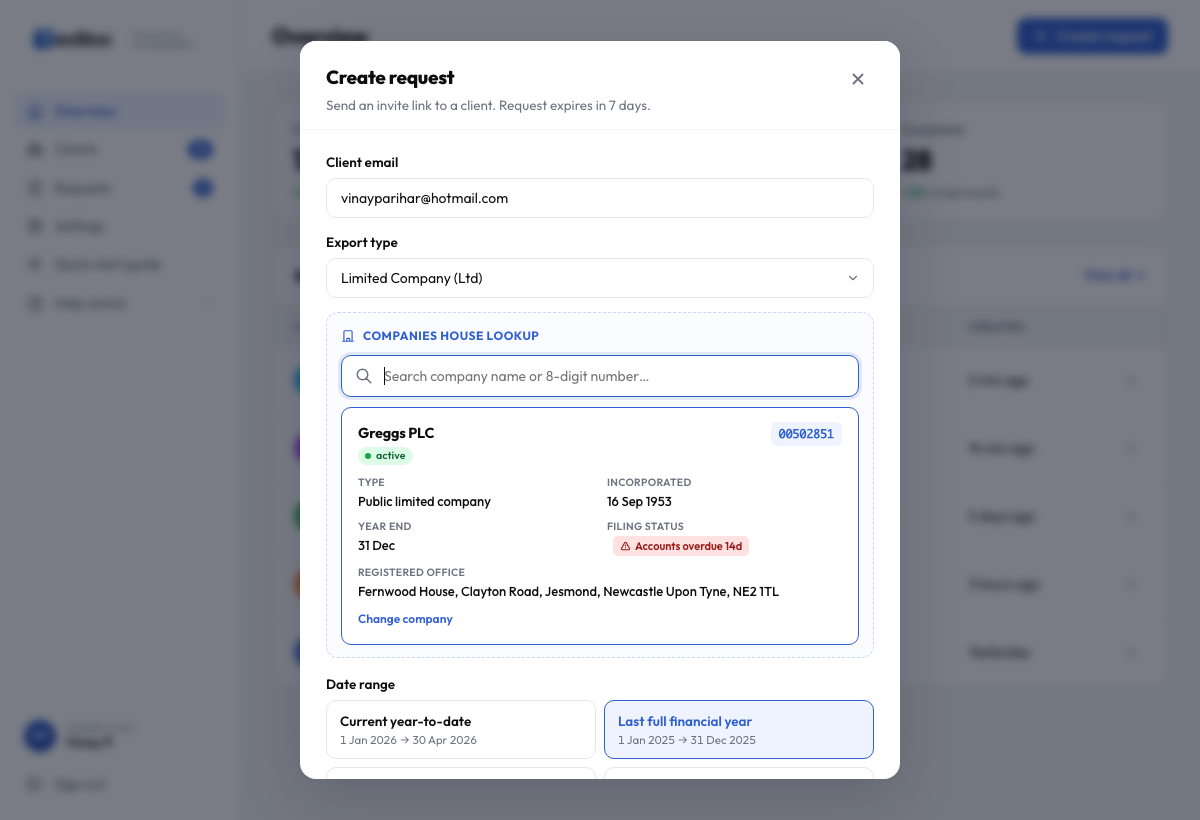
Picking a result auto-fills the registered name, registered office address, year-end date, and filing status — including an amber Accounts overdue badge if Companies House has flagged the company. That visibility helps you raise compliance issues with the client at the same time as asking for bank data.
Pick a date range
Once a company is selected, four date presets appear — all auto-computed from that client's year-end. For unincorporated entities (sole trader / partnership), the same four slots fill with UK tax-year-aware ranges instead.
For Companies House registered entities:
- Current year-to-date — start of the current financial year to today.
- Last full financial year — the most recently completed FY.
- Current quarter — for MTD ITSA quarterly updates.
- Custom range — pick any two dates. Always available.
For sole trader / partnership:
- Last 12 months — rolling 12-month window from today.
- Current tax year — 6 April of the current tax year to today.
- Previous tax year — 6 April → 5 April of the previous tax year.
- Current quarter — for MTD ITSA quarterly updates.
- Custom range — pick any two dates.
Updated in v0.12: the small tag chips below each preset (Catch-up, Annual accounts, MTD ITSA, Manual) have been removed — title and date range carry enough information on their own.
Add a personal note (optional, but worth it)
The personal note appears at the top of the invitation email under your name. Clients are 3× more likely to connect when the email sounds like it's from you, not from a SaaS platform.
Examples that work well:
- "Hi Sarah — quick favour for your Q1 MTD filing. Takes 60 seconds. Cheers, Vinay"
- "Hi James, I need 12 months of bank data to file your accounts. Click below and pick your bank — should be done in a minute."
Send the request
Hit Send request. The client receives an email immediately. The link expires in 7 days; a reminder is sent automatically at 48 hours if they haven't responded. See Reminders & expiry for what happens after that.
What the client sees
Your client receives a clean, branded email with your personal note at the top and a single Connect bank button. Clicking it launches the Plaid Link flow: choose bank → log in → authorise → done. They never have to share a password with you.
Plaid is regulated by the FCA and the data flow is read-only. Your client can revoke consent at any time from their bank's app or from the email confirmation.